

Plan the capture
Make the case for bidding in seven steps that Costimate fills in for you to confirm, score the bid, send your recommendation to the approver, and see what the warning at Decision means.
The capture plan makes the case for bidding before you spend time on the proposal. It is the Capture plan tab of an opportunity: seven steps that Costimate fills in from your company's records, the public registers and the buyer's own web pages. Every value is a suggestion, with where it came from, until a person confirms it. At the end, your recommendation and the scorecard go to the approver.
Before you start
The plan is made the first time someone who can change the opportunity opens its Capture plan tab. Costimate fills in every step from your records at once, then checks the registers and the web, step by step, while you work. A step being checked shows a spinner.
The seven steps
| Step | What it asks |
|---|---|
| Opportunity | What the work is, its value, the contract, how it is evaluated, the key dates |
| Buyer | Who they are, what they spend, their past tenders, who holds the work now, your contacts and history with them |
| Can we win | The mandatory requirements, the certificates asked for, similar work you won, the staff free for it, and the gaps |
| Competition | Who wins this work, and your record against them |
| Teaming | Your capture team, and the partners that fill your gaps |
| Strategy and price | Win themes, what sets you apart, the risks and how you handle them, the price to win |
| Decision | The scorecard, the win chance, the blockers and your recommendation |
Go through a step
- Open the step in the strip at the top.
- Read each row. Click its state to see where the value came from.
- Confirm a value that is right, or edit it. For a field nothing was found for, choose Confirm none, or fill it in.
- To confirm everything Costimate suggested in the step at once, choose Confirm all.
- Choose Next.
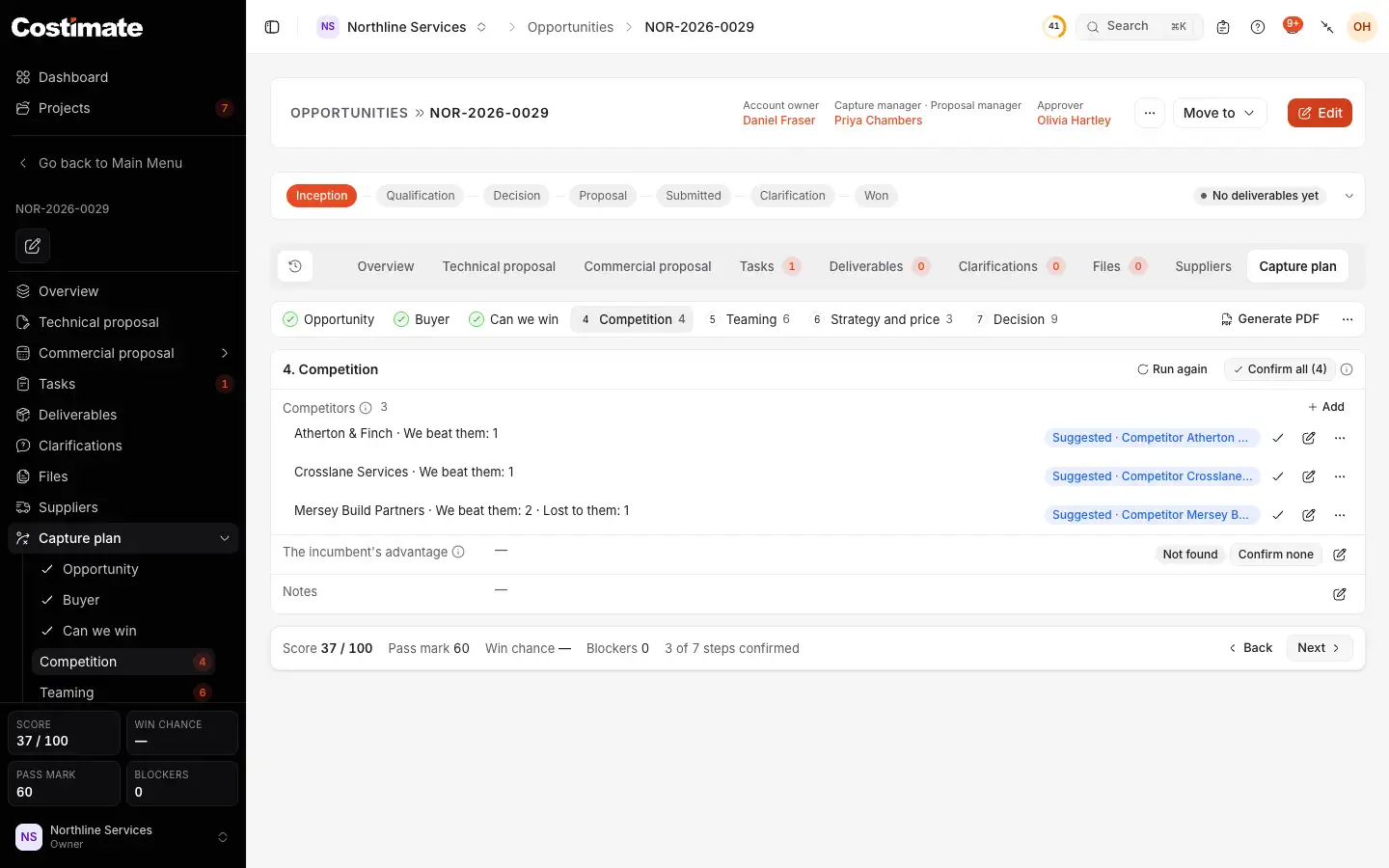
- The seven steps. A tick means every field of the step is confirmed; a number says how many rows still wait.
- A suggestion, and where it came from: here a competitor on your records.
- Confirm keeps the value as it is.
- Confirm none says there is nothing to add for that field.
- Confirm all confirms every suggestion of the step. A field where two sources disagree still waits for you to choose.
- Where the plan stands: its score against the pass mark, the win chance, the blockers and how many steps are confirmed.
Decide
The Decision step scores the bid. Each criterion of the scorecard has its points, out of 100, and Costimate scores it from the plan and your records, with the reason in words. You can type a score of your own instead.
Then give your recommendation: Bid, Bid with conditions or No bid, and why. Record keeps it. At the Decision stage, Send for decision sends the move to the approver: to Proposal for a bid, to Not pursued for no bid. The plan goes with it as a PDF, the gate pack.
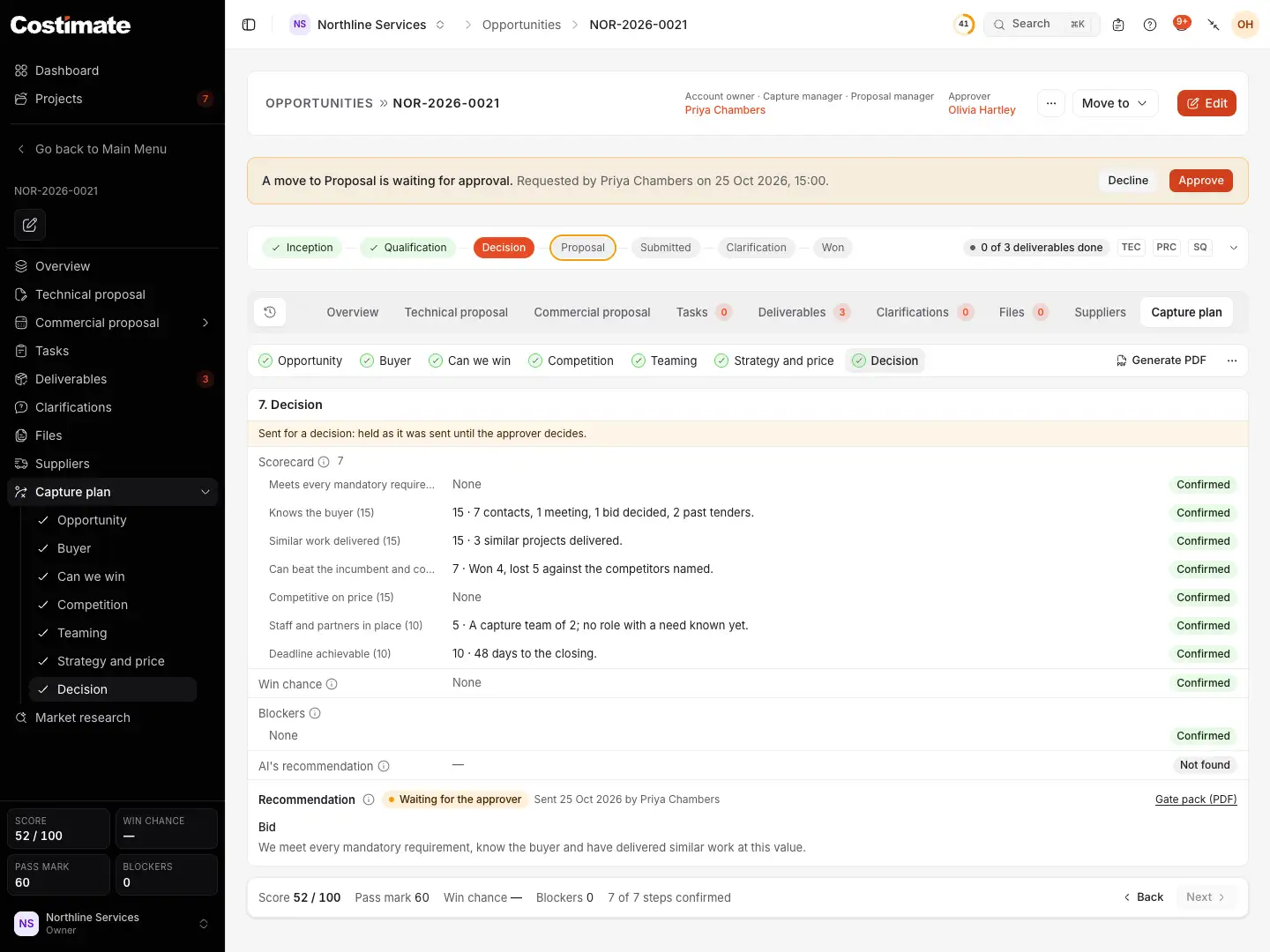
- The move the plan asked for, waiting for its approver.
- The approver decides it here, or in their Workflow.
- A criterion of the scorecard: the points it scored, out of its own, and why.
- The recommendation that was sent, by whom and when. AI's own recommendation has a row of its own above it, and is never taken as yours.
- Gate pack (PDF): the plan as the approver reads it.
- The score against the pass mark, the win chance and the blockers.
While the request waits, the plan is held as it was sent. Once the approver decides, it can change again.
The warning at Decision
A capture plan never stops a move. When a bid moves past Decision and its plan is not complete, the move goes ahead, and Costimate tells you what is still to do: in the move's dialog, in the message after the move, and to the approver.
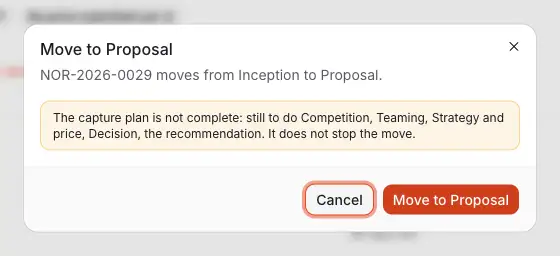
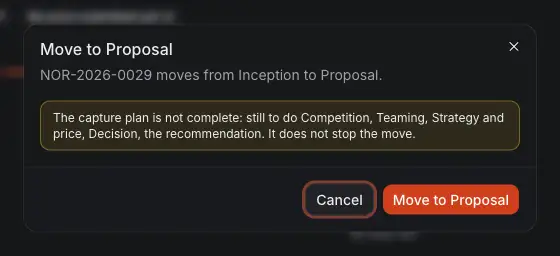
- What the plan still lacks. The move is not stopped.
- Move to Proposal makes the move, or asks the approver for it.
Someone who can approve stage changes can switch this warning off for the whole company, in Commercial settings, on Bid decision. See Your rate card.
Good to know
- Nothing is added to your records without a person. A competitor or a partner the plan names becomes one of your competitors or suppliers only when you confirm it.
- The price to win is worked out from similar awards and your usual margin. It is shown only to people who can see prices, and never asked of AI.
- A person is named only with the role their organisation publishes. No social network is read.
- Run again reads a step again, or every step from the ⋯ menu. A value someone confirmed is never written over.
- The win themes you confirm are used by Write with AI in the technical proposal.