

Price the bid
Build the cost of a bid in its commercial proposal, line by line from your rate card, with sub-lines, labor, subcontractors and PMO.
The cost of a bid is built on its Commercial proposal tab, from your company's rates. Everyone on the team can see the costs. The mark-ups and the selling prices are only for people who can see prices.
Before you start
- A prequalification, an EOI and an RFI are answered, not priced: they have no commercial proposal.
- You need to be able to change the opportunity.
Start the proposal
Open the Commercial proposal tab and choose Start commercial proposal. The bid takes its own copy of your rate card, so a later change to your company's card never moves a bid you have priced. For a bid in another currency, Costimate asks the exchange rate first.
Add the lines
A service line is one part of the work you sell, with its quantity and unit, such as "Grounds maintenance, 24 months".
- On Service line items, choose Add service line, or bring lines in: Load template, Copy from bid…, or Lines from a document.
- Open a line and choose Edit to add its entries: staff, materials, equipment, subcontractors and other direct costs, picked from the bid's rate card.
- Choose Save line. The totals follow at once.
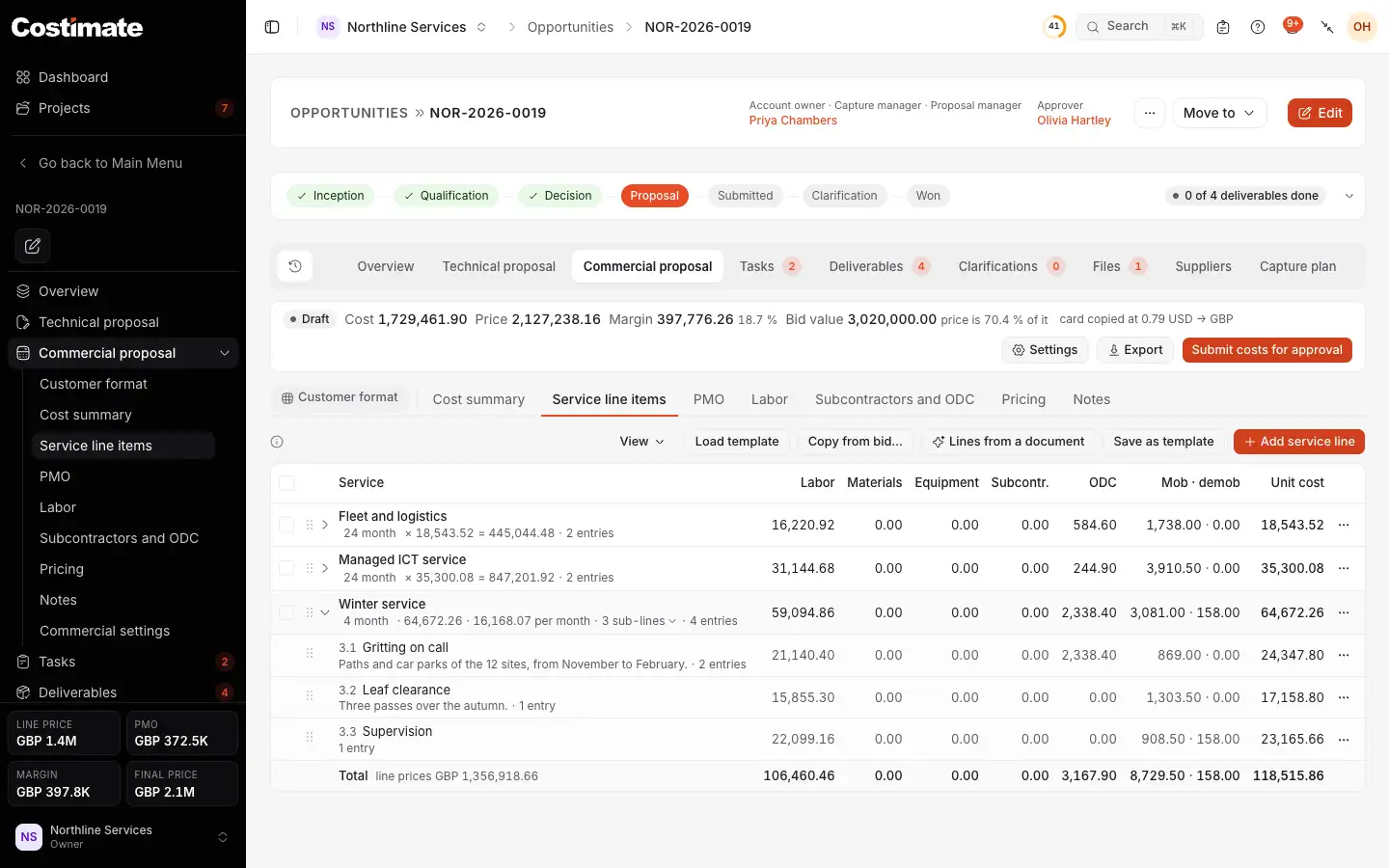
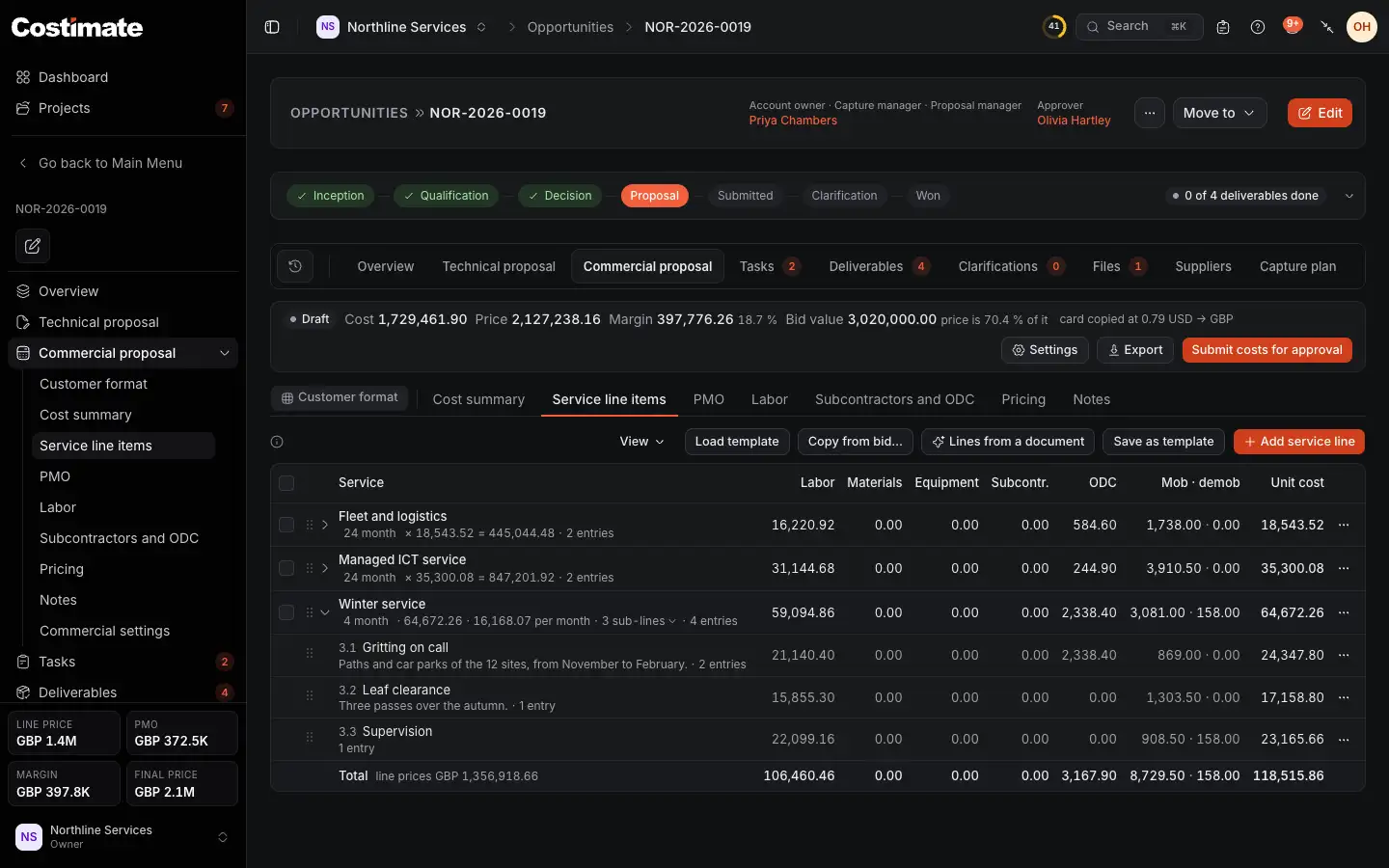
- Where the proposal stands (a draft here), and what it is worth: the cost, and for people who can see prices, the price, the margin and the price against the bid value.
- Settings opens your company's rate card, Commercial settings.
- The same, from the opportunity's menu.
- The proposal's screens: the cost summary, the service lines, PMO, labor, subcontractors and other direct costs, pricing, notes, and the client's own pricing form.
- Lines from a document: AI reads a price schedule or a bill of quantities among the bid's files, and lists the lines to price.
- Add service line adds a part of the work.
- When the costs are ready, Submit costs for approval sends them to the approver.
What a line costs
An entry describes one unit of its line. For a line sold as "24 month", an entry says what one month costs. In the line's editor, you can also tell AI what to add or change in your own words, such as "add 5 drivers, 4 days a month". It proposes the entries, priced from your rate card, and you keep them or not.
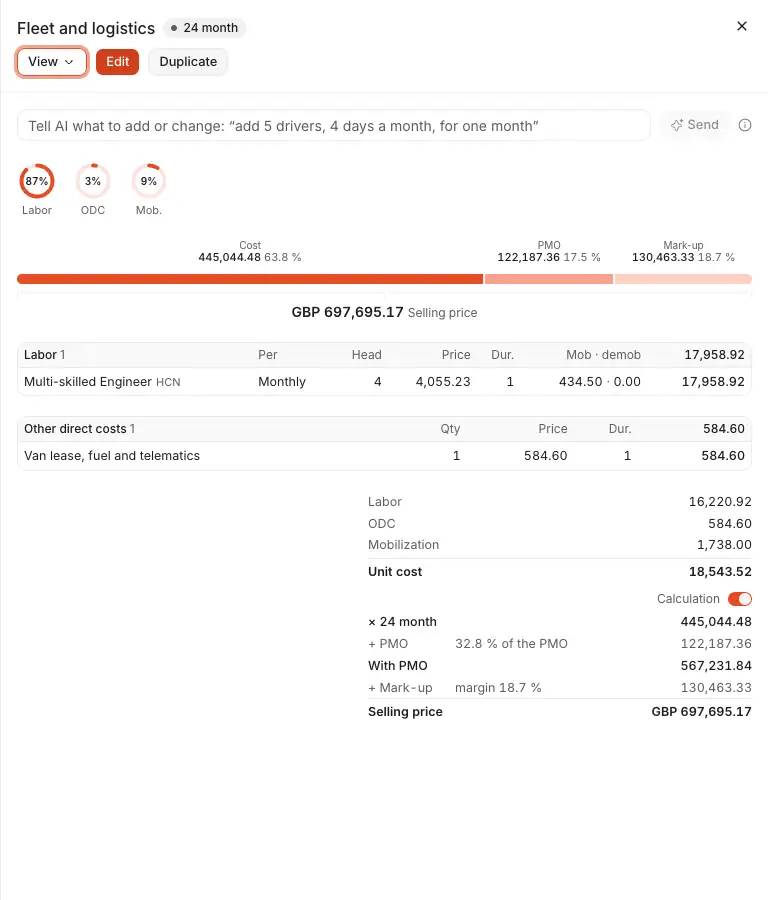
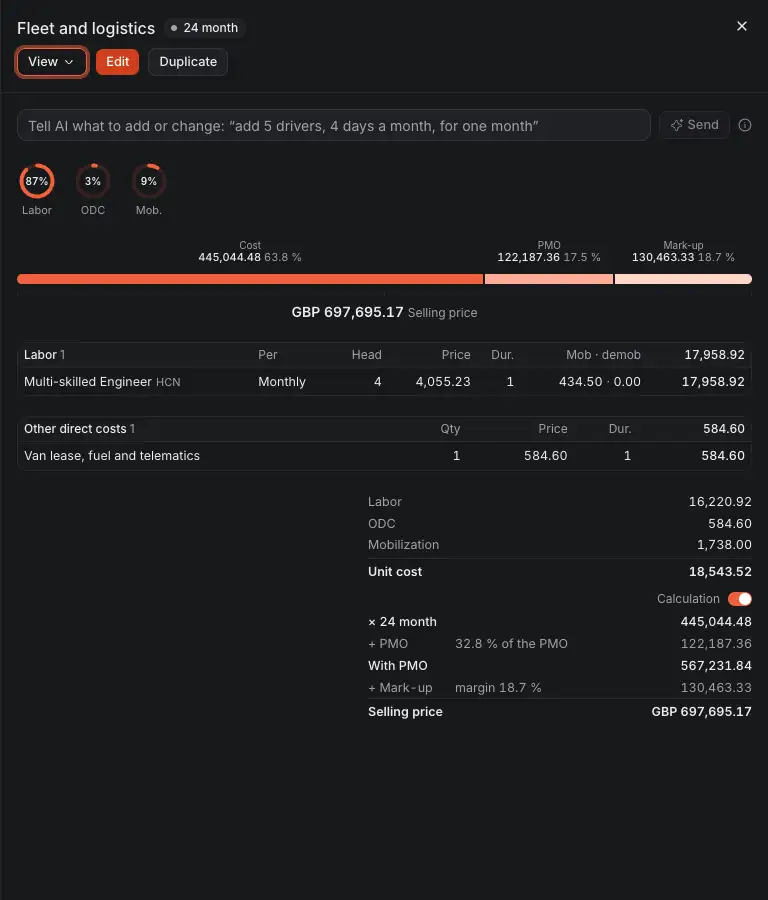
- Edit opens the line's entries to change them.
- Tell AI what to add or change. You keep what it proposes, or not.
- What the line costs, by kind of cost.
- The line's entries, kind by kind.
- How the line's unit cost becomes its selling price: times its quantity, plus its share of the PMO, plus the mark-up.
Break a line into sub-lines
When the client wants a line's cost shown in its own elements, give the line sub-lines. Open the line's ⋯ menu, choose Add sub-line, and give each sub-line its entries. A sub-line's entries price the whole line, not one unit of it, and the line costs the sum of its sub-lines.
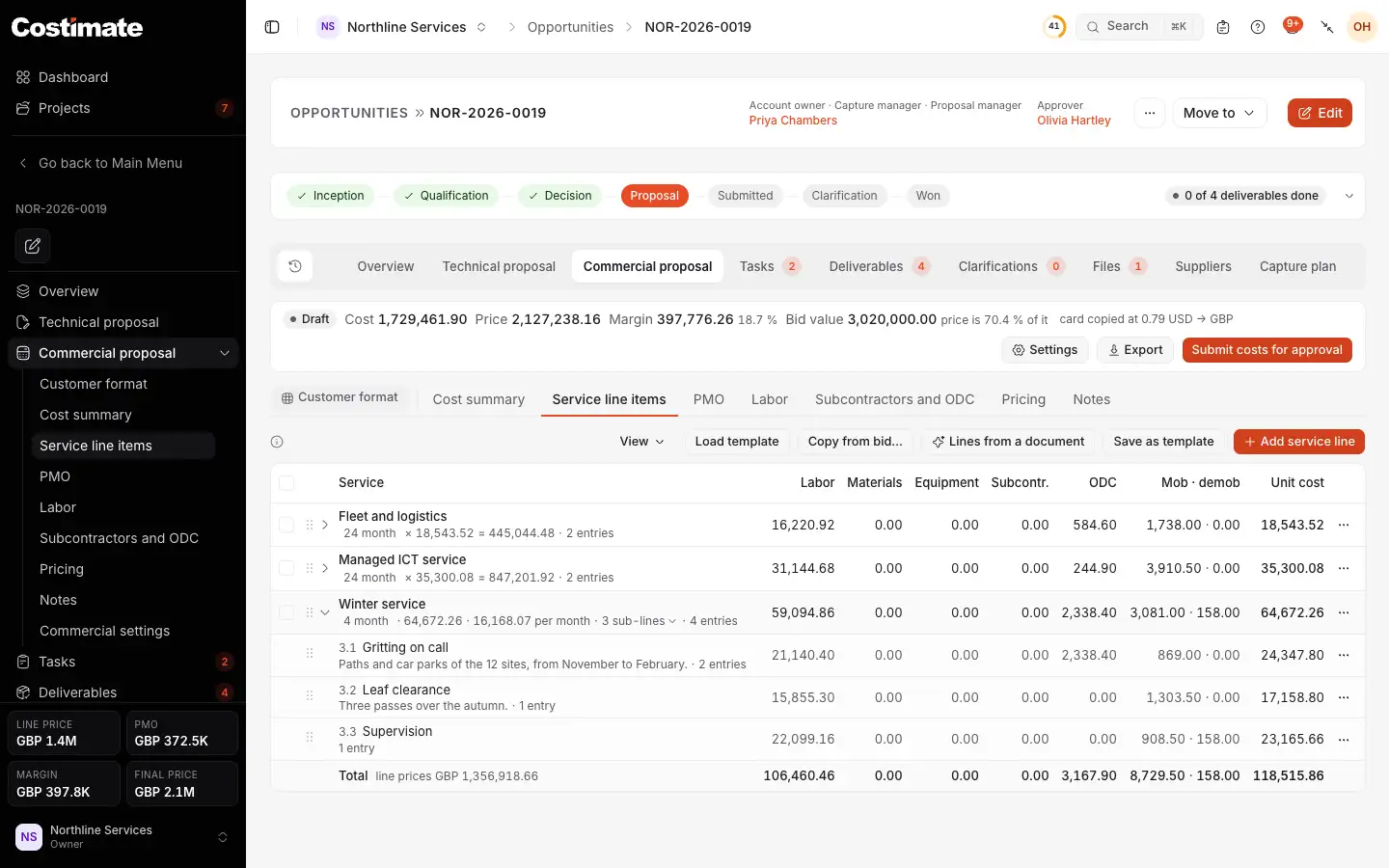
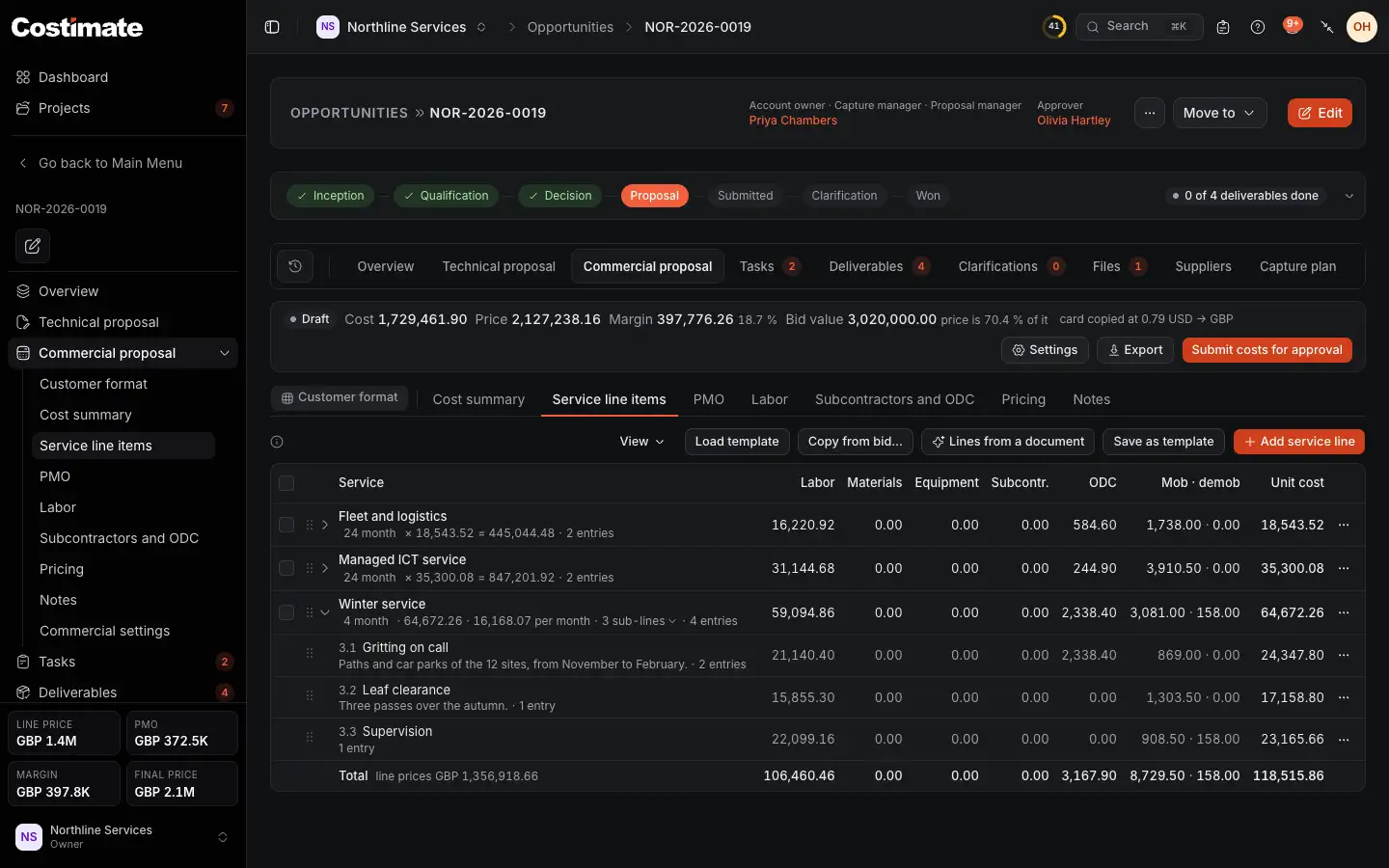
- Load template brings in a set of lines saved from another bid.
- Copy from bid… copies lines, with their entries, from another bid.
- Save as template keeps these lines to start the next bid from.
- A line priced in sub-lines. Click its arrow to fold them away.
- A sub-line, numbered under its line. Click it to open it.
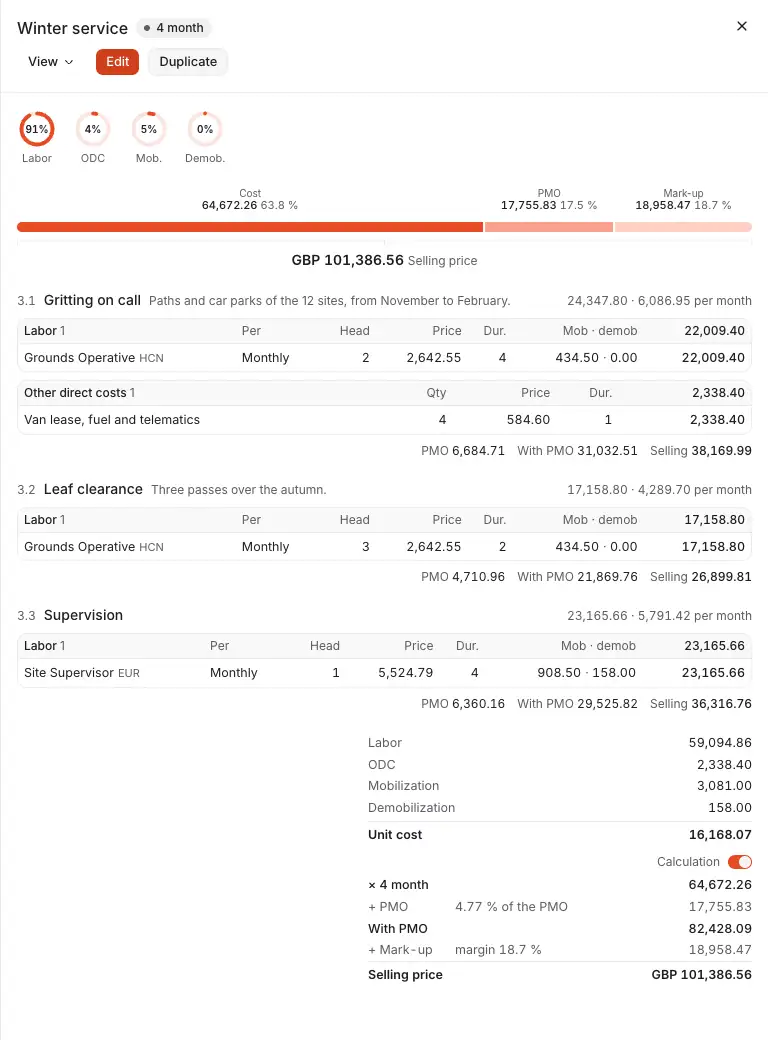
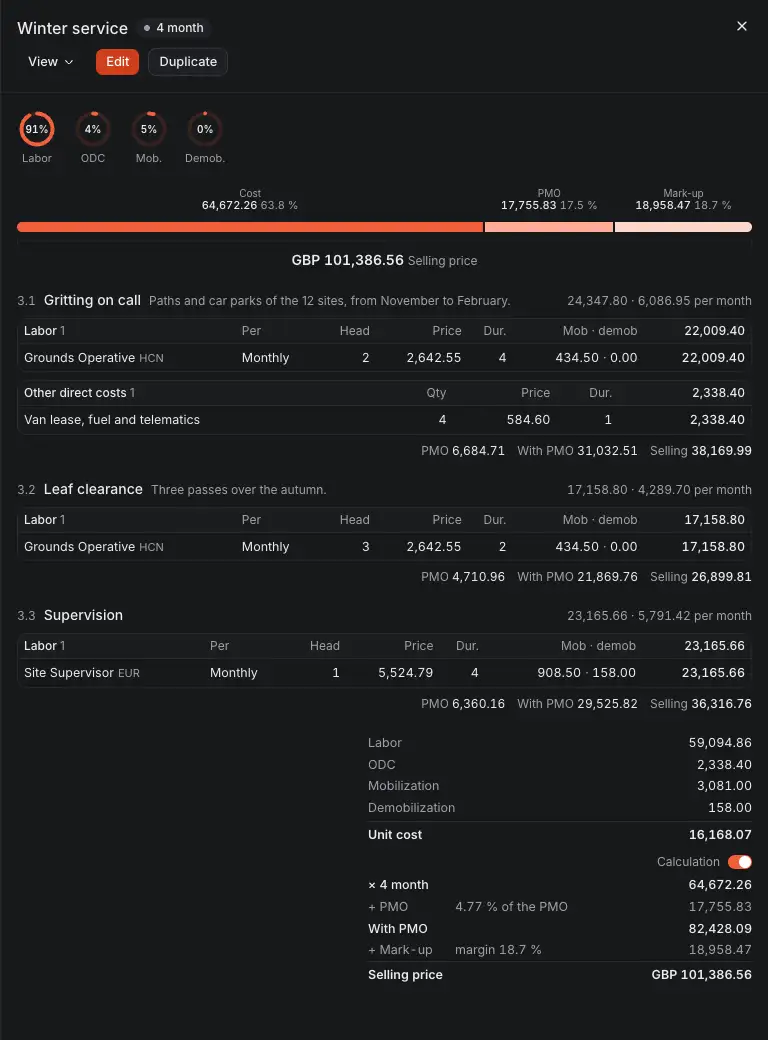
- What the line costs, by kind.
- How its price is built: the cost, the PMO and the mark-up, up to the selling price.
- A sub-line, with its entries.
- The sub-line's share of the PMO and of the selling price, worked out from its cost.
- The calculation of the whole line.
A line that has entries of its own takes no sub-line until those entries are removed.
PMO, labor and subcontractors
- PMO holds the costs of running the contract, such as management and the site office. They are spread over the service lines in proportion to each line's cost.
- Labor is the bid's own copy of your positions, and what makes up their monthly rate. From company card adds positions from your company's card.
- Subcontractors and ODC holds the bid's subcontractor rates and other direct costs.
Good to know
- Costimate works out every total as you type. What it saves is always its own result.
- AI never sets a price. A line it lists has no cost until someone prices it, and the entries it proposes take their prices from your rate card.
- When the costs are ready, they go to the approver, and then the mark-ups give the price. See Mark-ups, approval and the final price.