

Frameworks and long-term agreements
A framework or long-term agreement is appointed, never won. Record the appointment, its term and lots, extend it, and prepare its re-tender when its end comes.
A framework agreement (FWA) or a long-term agreement (LTA) guarantees no work. The client calls work off under it, task by task, and only that work is won. So an FWA or LTA is appointed, never won: the appointment makes an agreement, not a project. Each call-off you win under it makes its own project.
| Framework agreement (FWA) | Long-term agreement (LTA) | |
|---|---|---|
| Prices | A reference. Each mini-competition is priced to compete | Fixed for the term. They change only when the client approves |
| Work is ordered by | A mini-competition, a direct award or a purchase order | A task order at the agreed prices, or a purchase order |
Agreements use the same permissions as opportunities: whoever can open opportunities can read them, and whoever can change opportunities can change them. Their agreed rates are for people who can see prices.
From a bid to an agreement
- Make an opportunity of type FWA or LTA. If the tender is split into lots, list them in its form under Lots. Fill from the document reads them from the tender when it can.
- Work it as any other bid, to Submitted. See Opportunities and stages.
- When the client appoints you, choose Move to, then Appointed. An approver can do this from Submitted. Anyone else first moves the bid to Clarification, and both moves wait for approval.
- Fill in the appointment and confirm it.
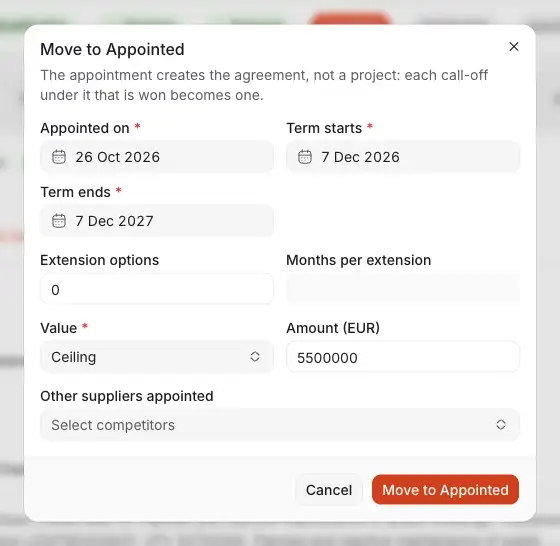
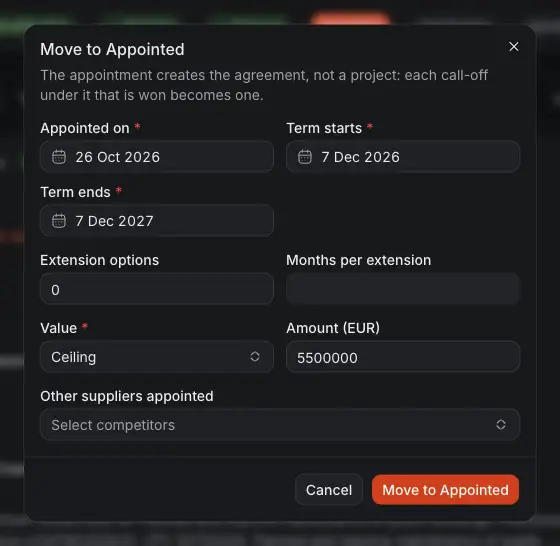
- The day you were appointed.
- The term: the day it starts, and beside it the day it ends.
- How many extension options there are, and beside it how many months each adds.
- Ceiling, the most the client may call off, or Estimated value, what it expects to. Beside it is the amount.
- Other suppliers appointed with you, if you know them. A bid with lots also asks which lots you won.
- Move to Appointed makes the agreement. If you do not approve moves, it waits for someone who does.
A proposal priced in Costimate gives the agreement its first version of agreed rates, as they stand at that moment.
Your agreements
Agreements are under Sales, in Agreements. There is no way to add one here: an agreement only comes from appointing its opportunity.
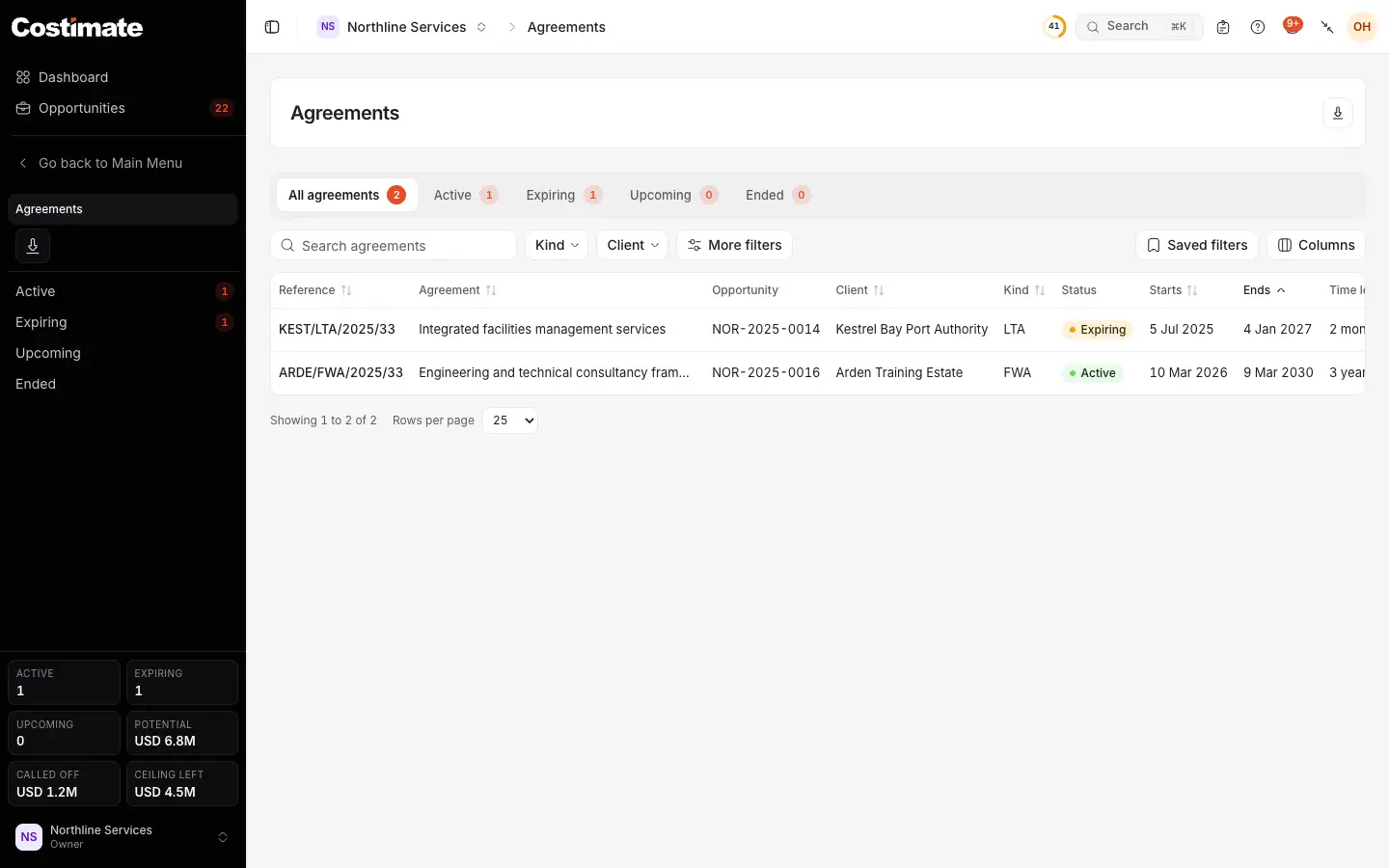
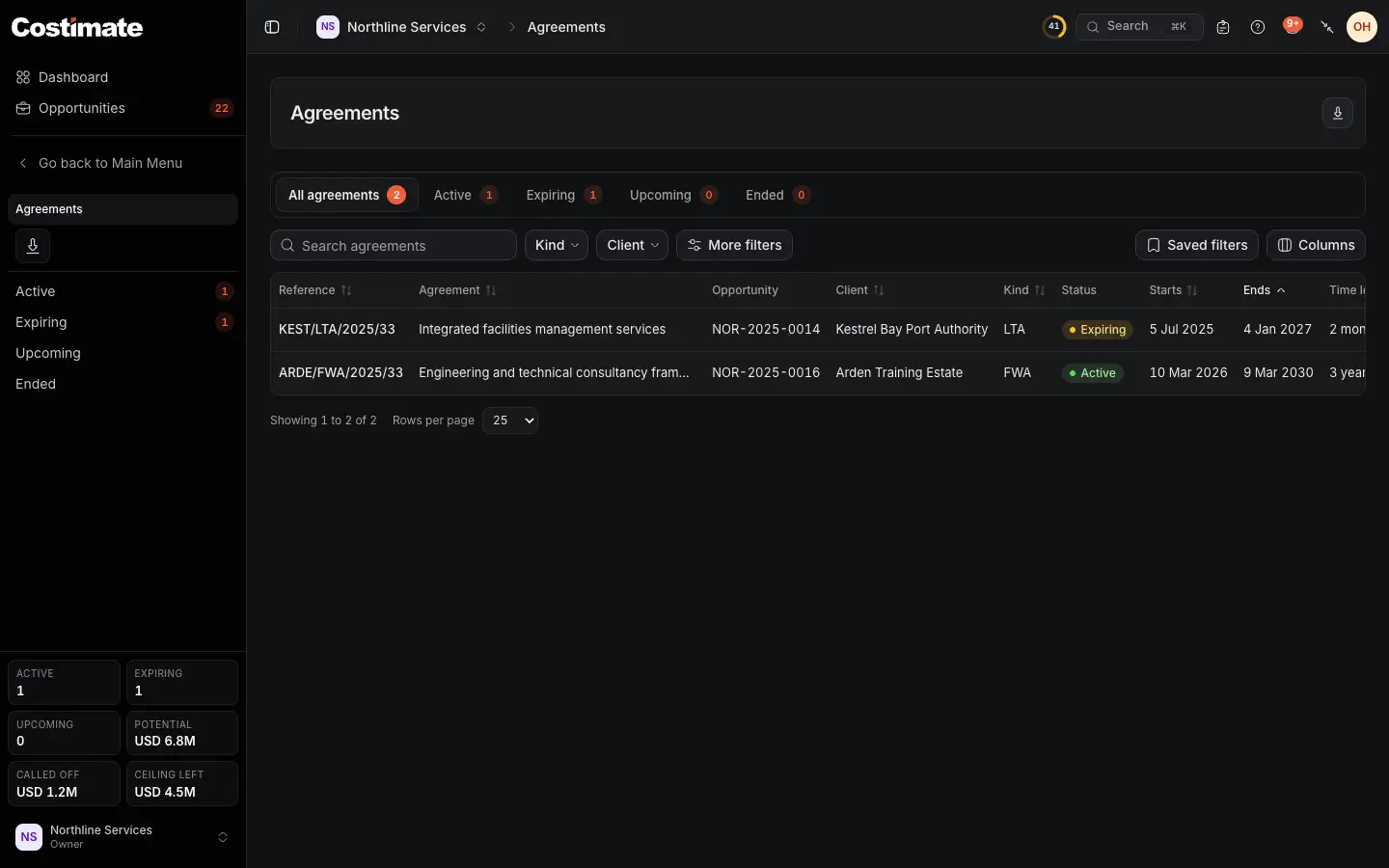
- The views by status: Active, Expiring, Upcoming and Ended.
- Filters: the kind and the client, and more under More filters, such as the value and the days of the term.
- The opportunity it came from.
- Its status, read from the term on your company's day. Expiring is its last 90 days.
- The last day of its term. Further right are the time left, the value, the call-offs, what was called off and the lots.
- Saved filters, as on the opportunities list. Export is at the top.
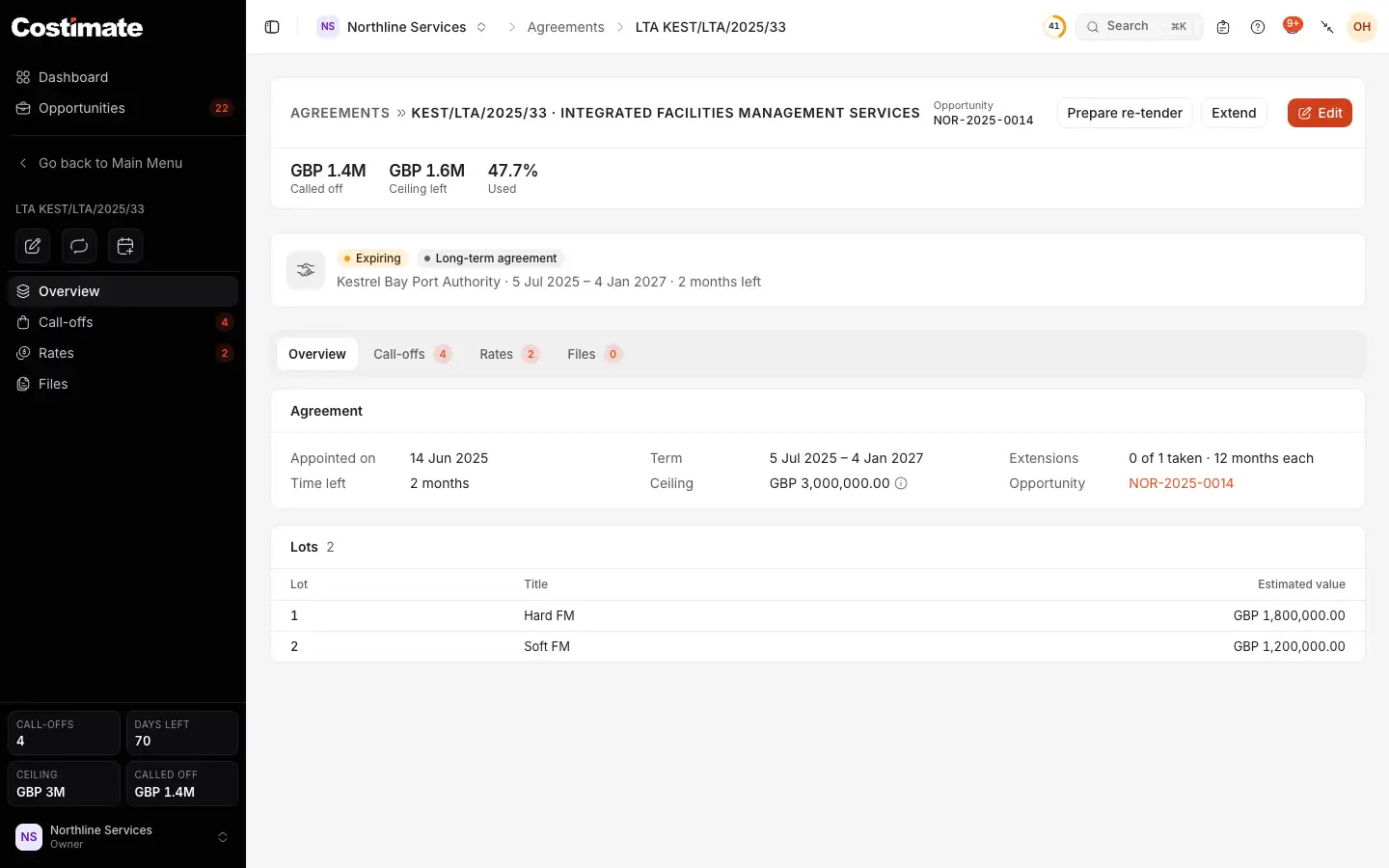
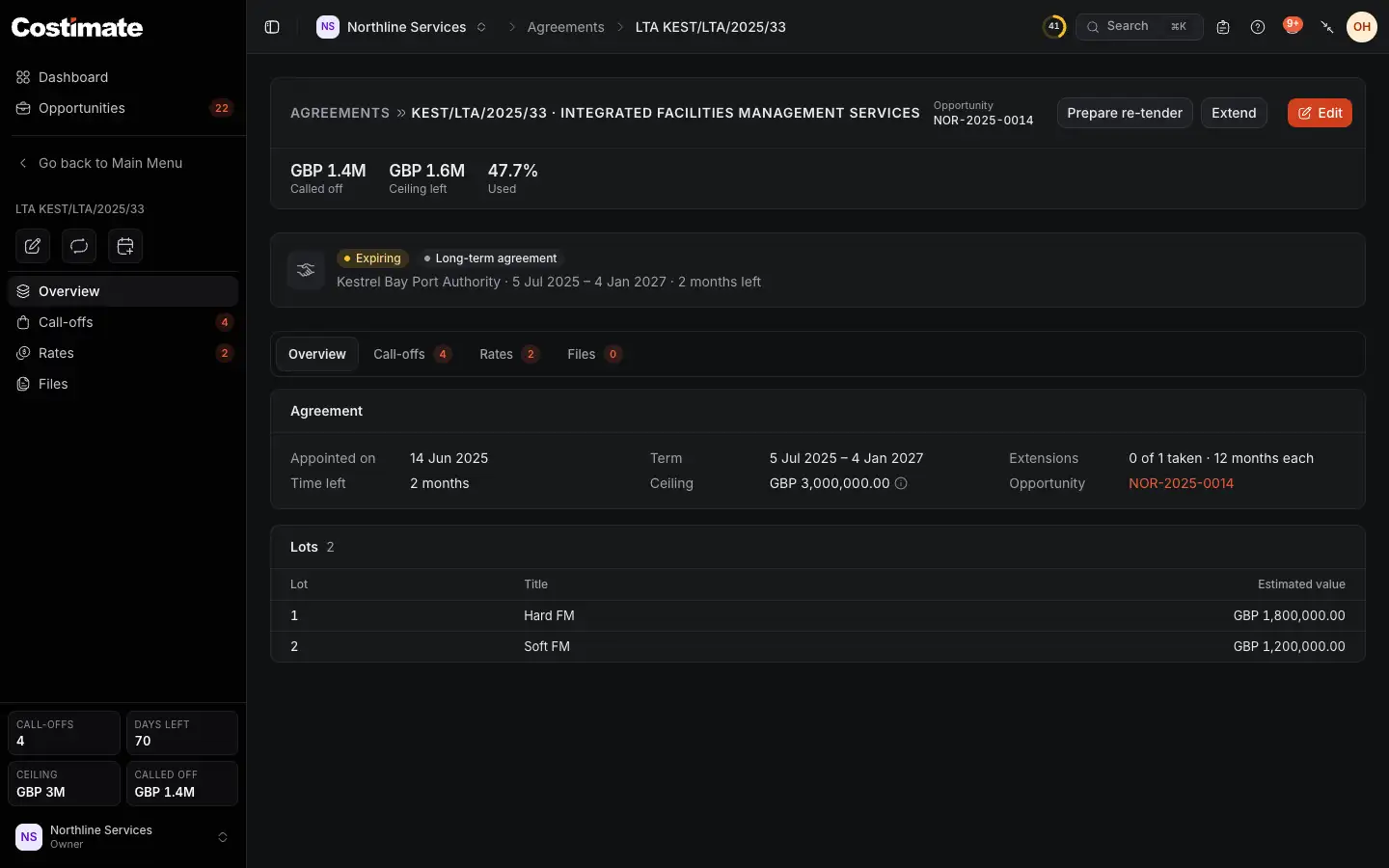
- Called off: the contract values of the call-offs won so far.
- What is left of the ceiling, with the share used beside it.
- Prepare re-tender, in its last 90 days and once it has ended.
- Extend takes one extension option.
- Call-offs: the work called off under it. Rates and Files are beside it.
- How many extension options were taken, and how many months each adds.
- Its value, which is potential, never revenue.
- The lots you won.
Called off and what is left are prices: you see them for the call-offs whose prices you can see, and the page says when that is not all of them. The value itself is open, like a bid value.
Change an agreement
- Edit corrects what the appointment recorded: the term, the extension options, the value, the lots won and the other suppliers. Its title, client and reference follow its opportunity.
- Extend asks you to confirm, then the term runs on by one option's months. Take one option at a time.
- Files: file the signed agreement, amendments and letters under Agreement, Amendment, Correspondence or Other. A Rate schedule states the agreed prices, so only people who can see prices read it.
An agreement is never deleted from its page, and an appointed opportunity cannot be deleted or change its type.
Undo an appointment
An approver moves the opportunity back to another stage. The agreement goes with it only if nothing is recorded under it. With a call-off, a file or a rate change on it, Costimate refuses and says what it found.
When it ends
- Told once. On the first of its last 90 days, its account owner is told in the bell and by email, at 07:00 on your company's clock. Extending moves the end, and they are told again when the new notice period begins.
- Prepare re-tender opens the opportunity's form for a new tender of the same kind and client, with its title, currency, people, value and the lots it won. Saved, it is an ordinary opportunity at Inception, and the agreement names it. One agreement has one re-tender.
- Once it has ended, no more work can be called off under it.
How it counts
- A win, but not won work. The win rate counts an appointment among the wins. What it is worth is shown as framework potential, and never added to a won value.
- Won work is the tenders and call-offs won.