

Competitors
Keep who you bid against, the bids where you met them, how often they beat you, and what you know about them.
Competitors, under CRM in the left menu, is who you bid against: what you know about each, the bids where you met them, and how often they won.
By default, everyone in your company can read competitors. The owner, admins, proposal managers and capture managers add and change them. The owner and admins delete them.
Add a competitor
- Choose New competitor.
- Type the Name. It is the only field you must fill, and no two of your competitors share a name.
- Choose Add competitor.
Copy from starts from a competitor you have. Complete with AI reads their website, or searches for their name, to fill the fields that are still empty, and each stays marked until you confirm or change it. Service types says what they do. Choose a Key contact in Edit once you have a contact there.
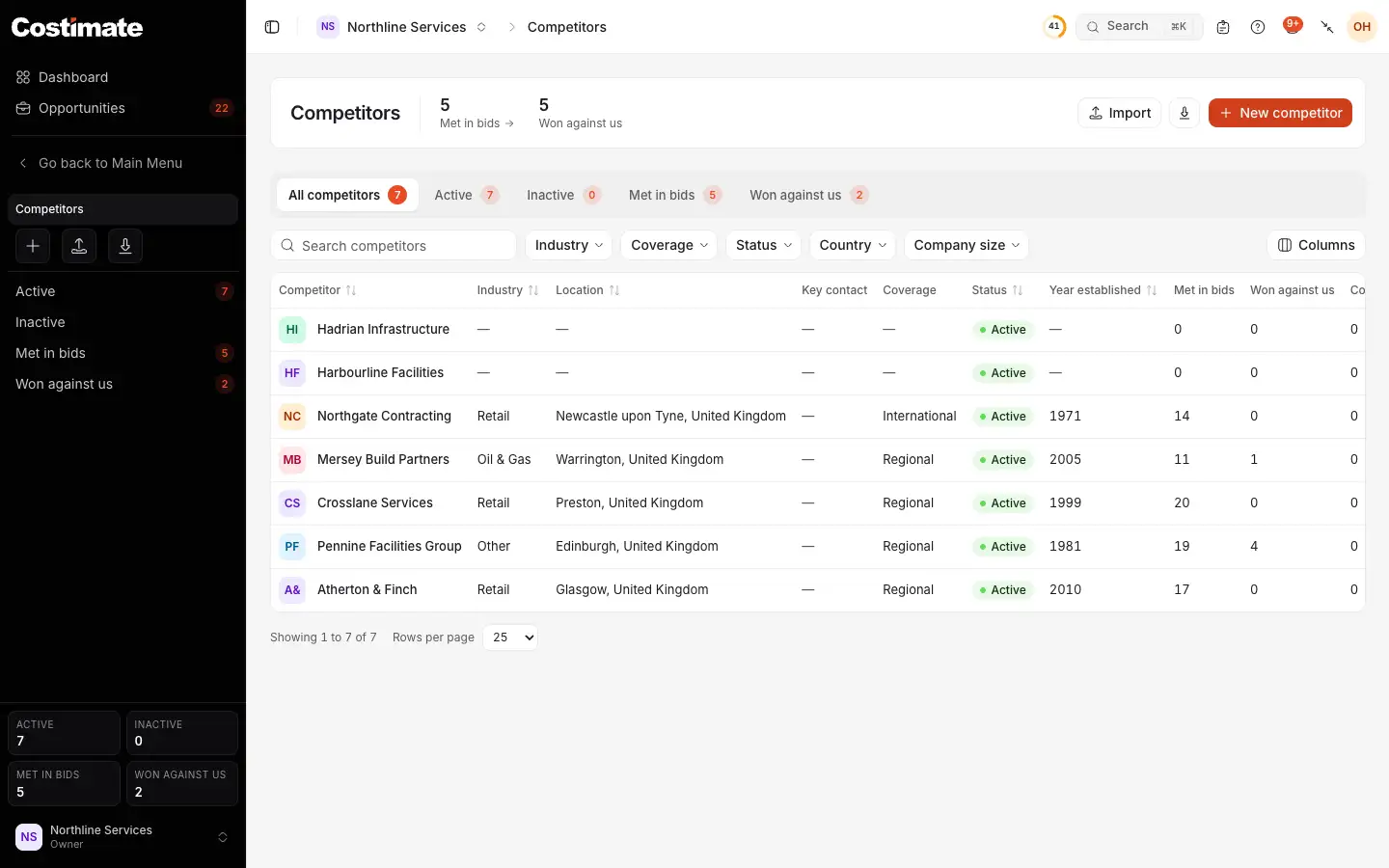
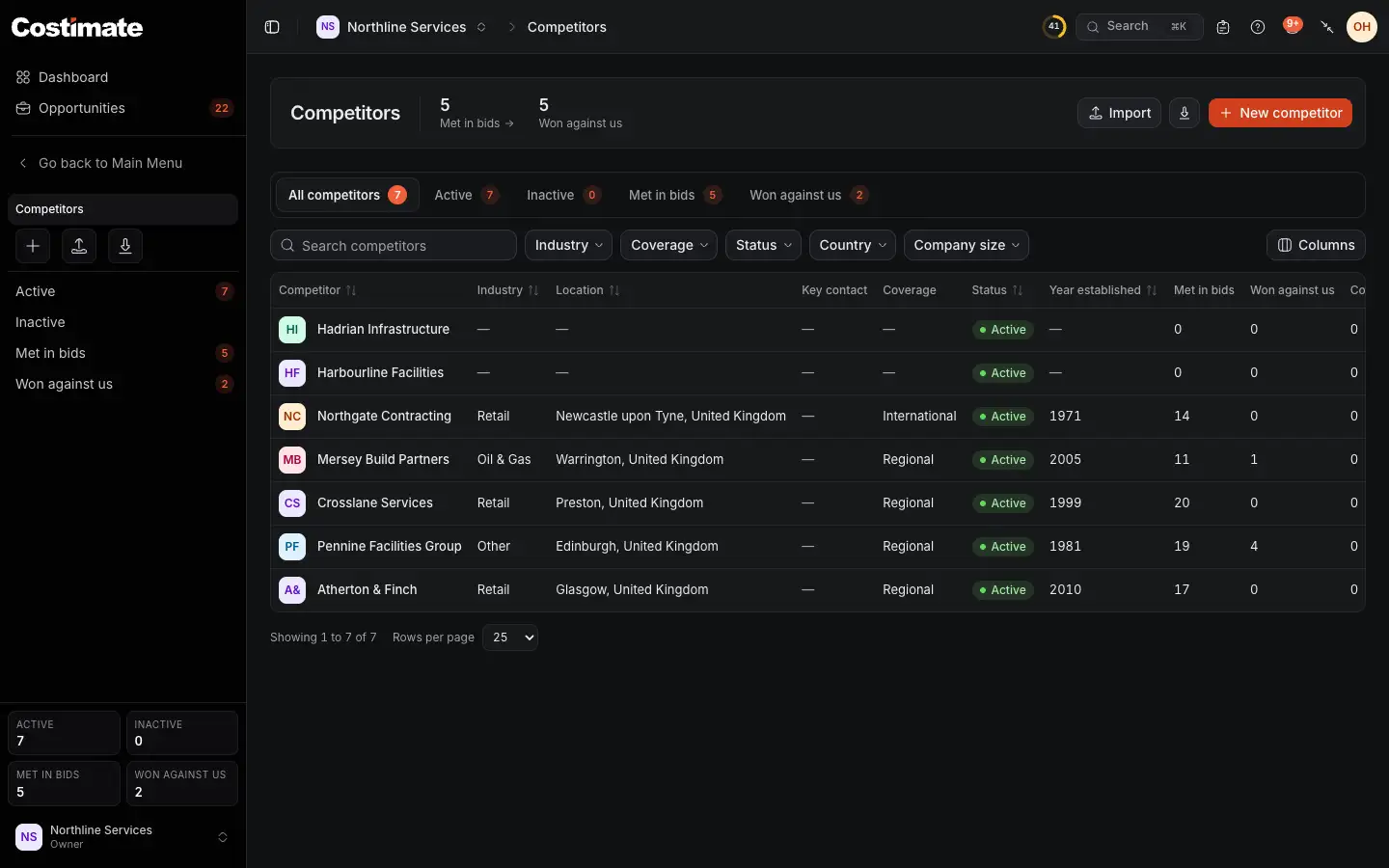
- How many of them you met in bids, and how many bids you lost to them.
- New competitor. Import and the export of the list are beside it.
- The views. Met in bids and Won against us count only what your bids say.
- How many of your bids each was on. Further right is how many they won against you, and their contacts.
How a competitor reaches a bid
- On the bid's Overview, the Competitors card has Change: pick who else is bidding, and which of them is the Incumbent.
- When you mark a bid Lost, Lost to names the winner, who joins the bid's competitors. See Won, lost or appointed: what follows.
- Market research can find competitors for a bid. What you keep goes through this same form, new or onto the record of that name. See Suppliers and market research for a bid.
- The Capture plan's Competition step reads them. See Plan the capture.
A competitor's page
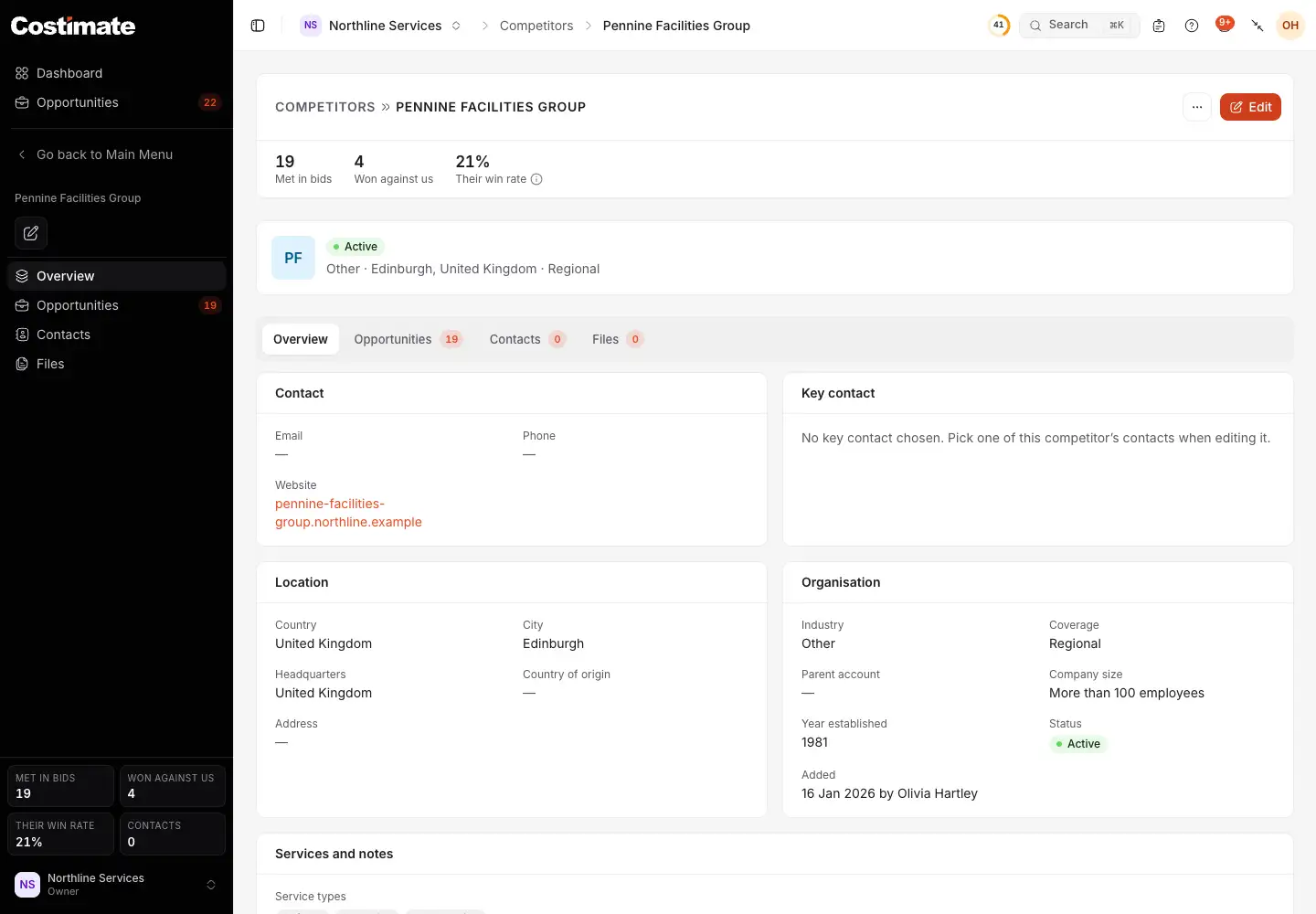
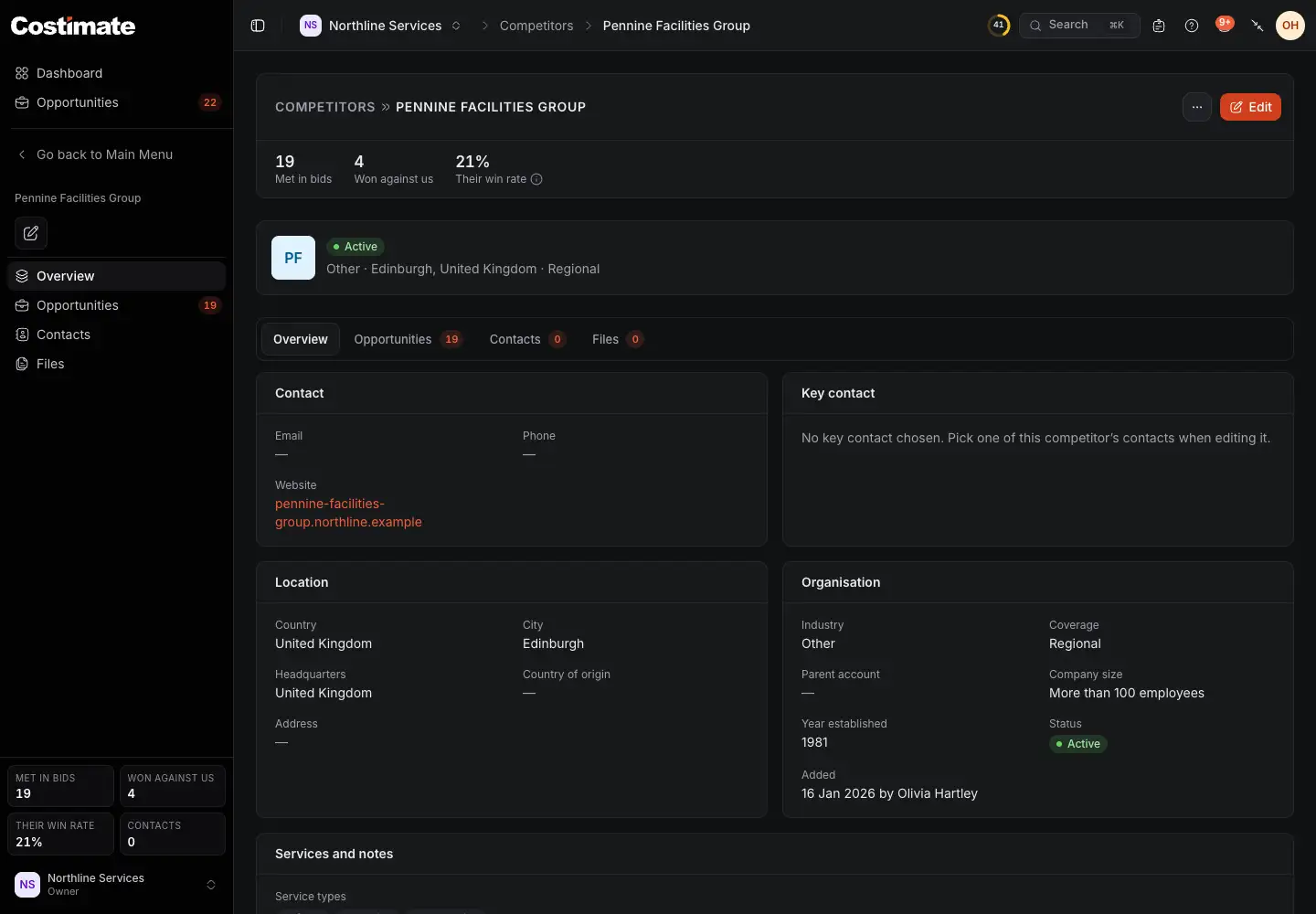
- How many bids you met in.
- How many they won from you.
- Their win rate: of the bids where you met, how many they won.
- Opportunities: those bids, with their client, type, status, value and outcome. Contacts and Files are beside it.
- What they do.
Good to know
- Who sees the figures. Without the right to read opportunities, the three figures, the tab and the list's columns are not shown. A submitted value on the Opportunities tab is a price, so only people who can see prices read it.
- Your own records. A competitor is your company's. No other company sees what you wrote about them.
- Deleting. A competitor named on a bid, or that won one against you, cannot be deleted: Mark inactive is offered instead. One you do delete can be brought back. See Restore something deleted.