

Scan a market with AI
Let AI read public award notices and the web for one market, and say what it knows, where you choose and as you direct it, and propose contracts to watch, clients and competitors, each with its source or marked as not verified.
Scan with AI reads public sources for one market and proposes what you may be missing: contracts that will be tendered again, buyers that award this work, and companies that win it. You choose where it looks and what it looks for, and you can direct it in your own words. Each proposal names where it was read, or is marked Not verified when it comes from what the AI knows. Nothing is added to your records until you keep it.
The Scan tab is there for anyone who can open Market Intelligence and at least one of the Watchlist, Clients and Competitors. To start a scan, to dismiss proposals or to put one back, you need to be able to change markets: the owner, admins, the Proposal manager and the Capture manager can. To keep a proposal you need to be able to add to where it goes: the Watchlist, Clients or Competitors.
Before you start
You need a market. See Market Intelligence.
Scan a market
- Open Market Intelligence, and the market.
- Open the Scan tab.
- Choose Scan with AI.
- Under Where to look, tick Public registers, The web, AI's own knowledge, or any of them.
- Under What to look for, tick what you want proposed.
- If you wish, say in Direct it what to look for and what to leave out.
- Choose Scan.
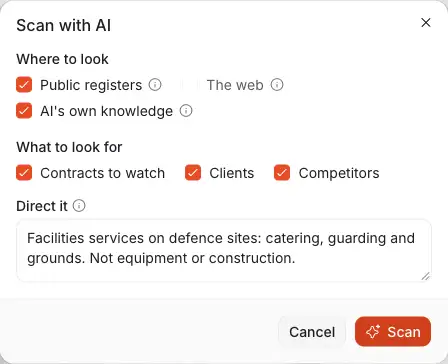
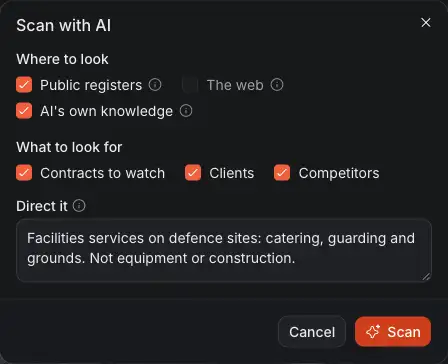
- Where to look. A source that cannot be used for this market is greyed out, and the mark beside it says why.
- What to look for: Contracts to watch, Clients and Competitors, as far as you can open each elsewhere.
- Direct it, in your own words, up to 500 characters. It is sent to the AI and used in its searches.
- Scan starts it.
The choices open with where the last scan of this market looked and how it was directed, whoever started it, so you change only what you want changed.
A scan can take a few minutes. You can leave the page: the scan goes on, and what it proposed is on the tab when you come back.
Beside the button is how many of the day's scans of this market are used, out of ten. The count starts again at midnight on your company's calendar. One scan of a market runs at a time, and a scan starts only when someone starts it.
What a scan reads
- Public registers. The award notices of public buyers in the market's country, for the kind of work its sector is filed under in the official registers, the latest first. They come from the registers behind Public buyers: TED, SAM.gov, Find a Tender and Contracts Finder.
- The web. Several searches, and the pages they find that report awards, such as the trade press and the buyers' and contractors' own news. With Public registers not ticked, the web has the whole scan: twice as many searches and pages. A social network is not read.
- AI's own knowledge. What the AI learnt in training: contracts, buyers and companies it knows of, with no page to check, and possibly out of date. What it proposes from it is marked Not verified and never has an amount or a date. It is ticked unless you unticked it for the last scan of this market.
The registers file their notices for Oil & Gas, Mining, Government & Defense, Humanitarian, Healthcare and Retail. For a market in another sector, Public registers is greyed out and the scan reads the web and what the AI knows.
The registers hold what public buyers award. Where the buyers you mean are private companies, such as the operators in oil and gas, the registers may show public bodies buying fuel instead. Look on the web alone there, and direct the scan to the work you mean.
What the AI is told
The AI is told the market's sector, its country and the towns of its target areas, what the public sources say, and what you typed in Direct it.
Nothing of your own records is sent to it: not your clients, your competitors, your opportunities, your watched contracts, a price, or the market's plan. A scan after the first is told what earlier scans of this market proposed (a name, or a contract's title and its buyer, nothing more), whether you kept or dismissed each proposal, and how the last few scans were directed.
Read the proposals
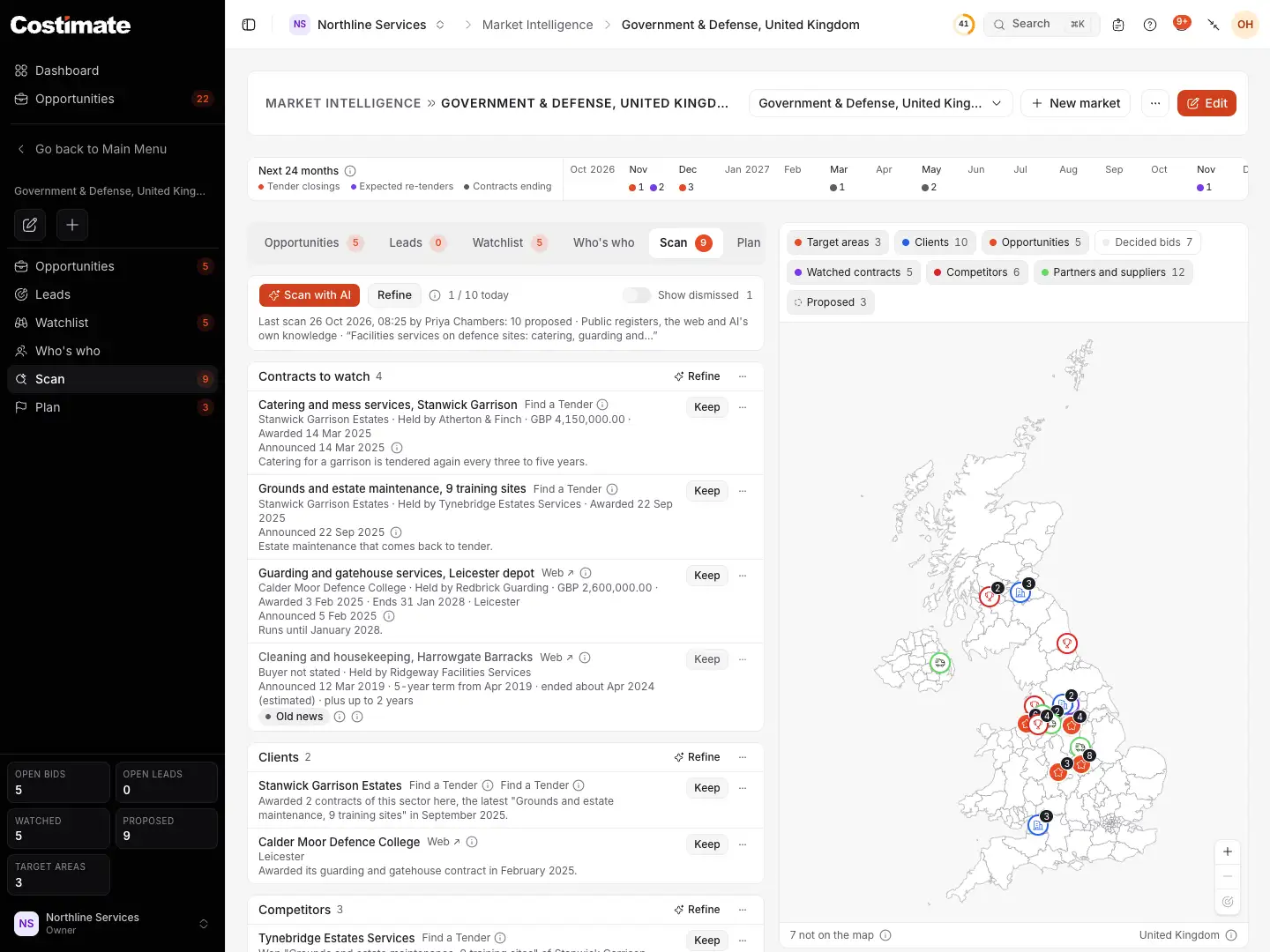
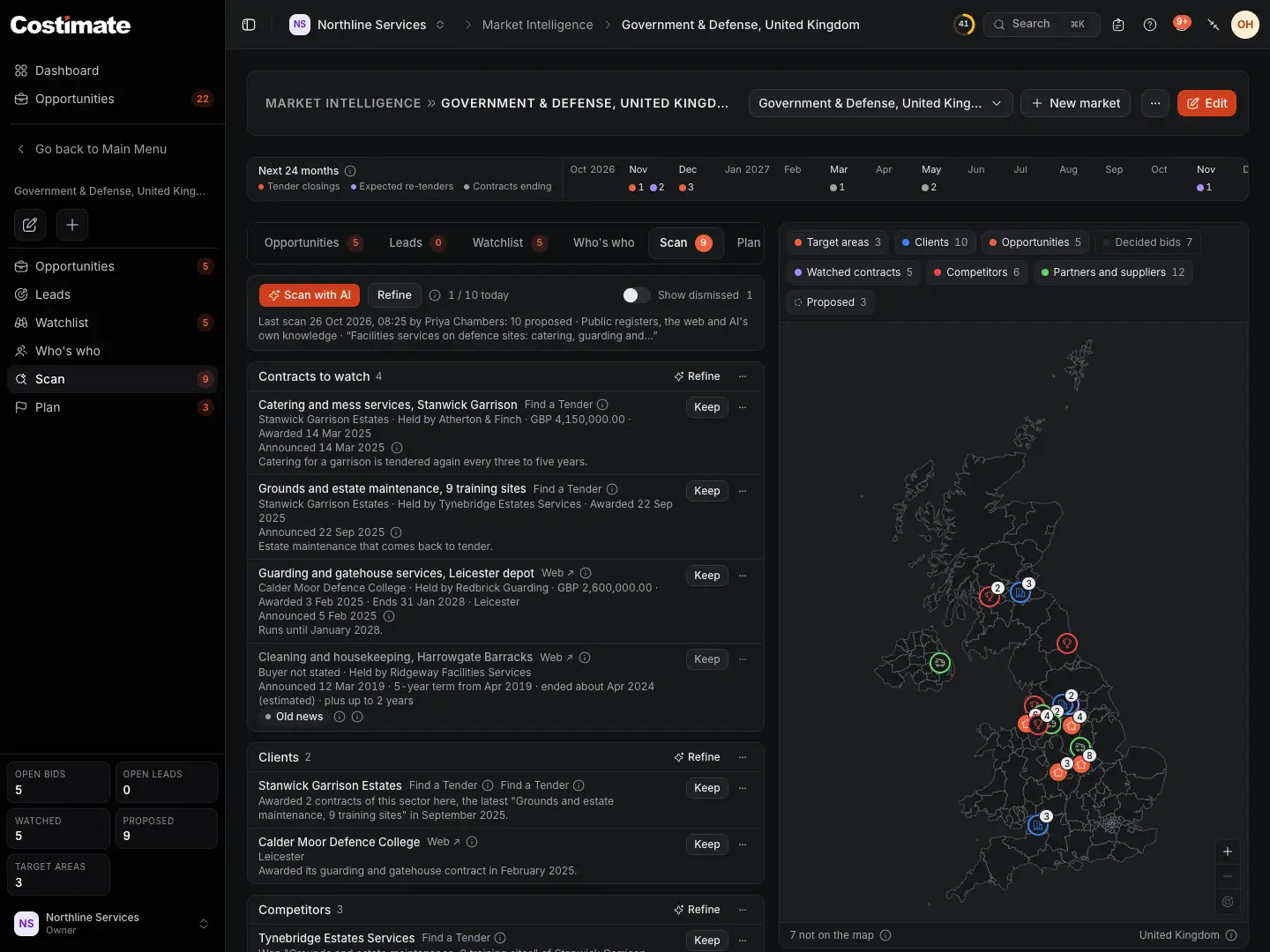
- Scan with AI and Refine, with how many of the day's scans are used.
- The last scan: when it ran, how many proposals it made, where it looked, what for when that was not everything, and how it was directed.
- Contracts to watch: each with its buyer, who holds it, and its value, its dates, its term and its town where the source states them, and when its news was announced.
- The group's own Refine, and its ⋯ menu with Dismiss all.
- Where a proposal was read. Choose it to open the notice or the page; the mark beside it shows the words it was read in.
- Keep, and the ⋯ menu with Dismiss.
- Clients and Competitors, each with why it was proposed.
- Proposed on the map: the proposals that wait, where their source names a town.
| Group | It proposes | Keep adds it to |
|---|---|---|
| Contracts to watch | A contract that was awarded | The Watchlist |
| Clients | A buyer that awards this work in the market | Clients |
| Competitors | A company that won or holds this work | Competitors |
What a proposal says is what its source says.
- Read in a public notice. The contract's title, its buyer, who it was awarded to, its value and its award date are the notice's own. The AI chooses which notices matter and says why in a few words; it cannot change a name, a value or a date of one.
- Read on a web page. The proposal is there only when the words quoted from the page name it. A value, a date and a town are shown only when those words state them, a date only when they state the day in full. What the page does not state is left empty.
- A contract with no buyer stated. A contract read on a web page needs words that name its buyer or who holds it. Where the page names only who holds it, its row says Buyer not stated, and you choose the client when you keep it.
- From what the AI knows. It is marked Not verified and has no source: a name, or a contract's title with its buyer or who holds it, a town where the work is, and a few words of why. Never an amount or a date. The mark beside it says to check it before you keep it. What a notice or a page states is always proposed in its place. If a later scan finds it in a notice or on a page while it waits, it gains that source and what the source states, and the mark goes.
The AI is asked for every contract, buyer and contractor its sources state, not only a few. Where a proposal was read is the page that holds the words quoted from it, whichever page the AI named.
When the news was announced, and when a contract ends
A contract's row says when its news was published: for a notice, the day the register published it; for a web page, the date the page gives itself, as its published date, a date in its address or a dateline near its top. It is never a date the AI gives. A contract announced more than three years ago is shown greyed out and marked Old news: it may have been tendered again since, or have gone to another holder.
Where the words quoted from a page state when a contract starts, as a day, as a month and a year or as a year alone, and how long it runs, such as "a new 5-year contract" or "an initial 8-month period", the row says so and works out when it ends: "5-year term from Mar 2016 · ends about Mar 2021 (estimated)". A start stated only as a year, such as "due to start in 2016", is taken as 1 January of that year: "Starts about 2016 · 5-year term · ends about 2021 (estimated)". A year the words give only as when the news was published, such as a dateline, is not taken as the year it starts. An end worked out that is already past is said in the past: "ended about 2021 (estimated)". An extension the page states is said, "plus up to 4 years", and never added to the end. With no start stated, the day the news was announced stands for the start only where the words say the contract is new or starts on its award. The mark beside the line shows the words each of these was read in.
A value the words give for several contracts together, such as "two contracts worth a combined £4m", is not shown as one contract's value.
The last scan's line also says how many of its proposals are not verified, and how many waiting ones it verified.
When the AI gave something that was left out, the last scan's line says how many, and the mark beside it says why, with how many for each reason: the words quoted are in no page it read, they do not name it, its title says more than they do, it named no source, it was proposed before in this market, you already have it, or there were more than a scan keeps of one kind. It never names what was left out.
A notice says when a contract was awarded, and seldom when it ends. When you keep the contract, Complete with AI in the form reads the notice in full, and works the end out where it states the term.
Nothing is proposed twice in a market, whether you kept it or dismissed it. And what you already have is not proposed: a client or a competitor of the same name in the market's country or with no country, one of the same name with an arm in the market's country, a contract you kept from the same notice in another market, and a contract that is on the Watchlist for the same client, or for its arm in the market's country, under the same title. A contract with no buyer stated has no client to compare, so if you watch it already, dismiss it.
A client or a competitor you have only in another country, with no arm in the market's country, is proposed. Its row says where you have it, and its button is Add arm: see One you have in another country, below.
Refine a scan
You do not start again to get closer to what you want. Every scan after the first continues: it is told what the market's scans proposed before and which of it you kept or dismissed, and it proposes what is new.
- Refine, beside Scan with AI, opens the same choices with what the last scan looked for ticked. Change how it is directed, where it looks or what it looks for, and choose Refine.
- Each group has a button of its own: Scan, which reads Refine once the group has proposals. It opens the choices with that group alone ticked, so you can look again for competitors, say, and leave the rest as it is.
Scan with AI opens with everything ticked under What to look for.
A scan never dismisses or changes a proposal, however you direct it. To clear what you do not want, dismiss it.
Keep a proposal
Keep opens the form of what the proposal becomes, filled in with what its source states. Nothing is saved until you save that form, and closing it leaves the proposal waiting. Two proposals need no form: a public buyer of the registers, and a client or a competitor you already have in the market's country, or its arm there.
A contract
Keep opens the Watchlist's Add contract form.
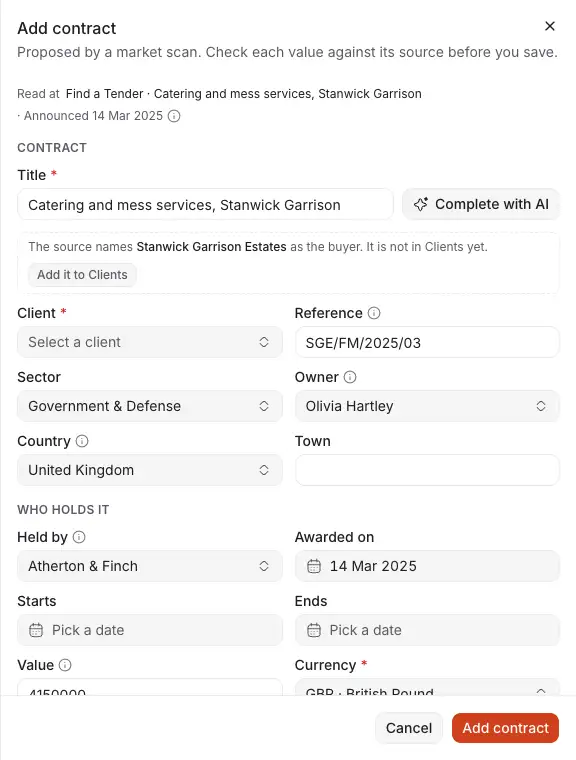
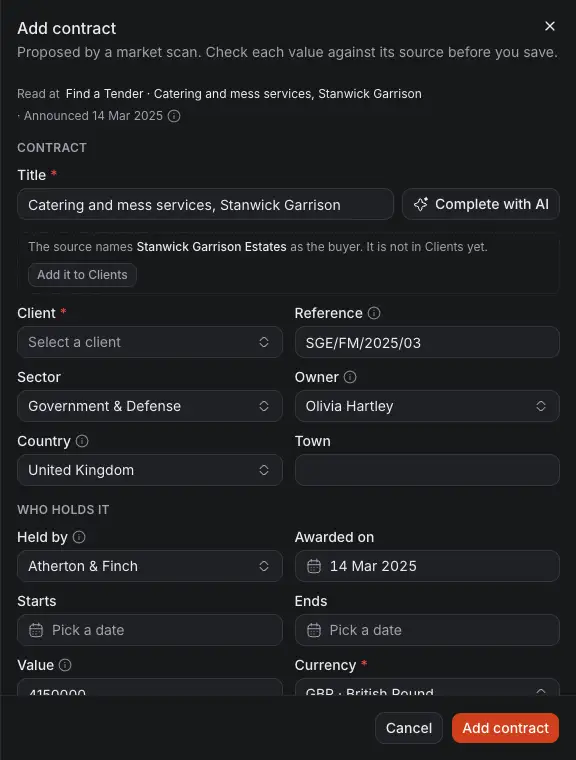
- Read at: the notice or the page the contract was read in.
- The contract as the source states it. Sector and Country are the market's.
- The buyer. A client of yours with that name is filled in, or its arm in the market's country when it has one. If you have none, the form names the buyer and offers Add it to Clients.
- Who holds it. A competitor of yours with that name is filled in, or its arm in the market's country when it has one. If you have none, the form names it and offers Add it to Competitors. With no name in the source, it is held by Not known.
When the source names no buyer, Client is empty and the form says so: choose the client yourself. A contract that is not verified opens a form that says so, and once kept it has no address to read it at.
What else the form starts with:
- When the news was announced, beside Read at, marked Old news when it is more than three years old.
- Starts and Ends, when the source states a start and a term and no end: the end is worked out, and so is the start when the source gives only its month, only its year (1 January is used) or no start at all. What is worked out is marked Estimated, and the mark's ⓘ says how and links to where it was read. When the end worked out is already past, its ⓘ says the contract has probably been tendered again. Expected on stays empty: the re-tender is then expected six months before the end.
- Notes with what the scan found: its few words, the words quoted from each source with a link to it, the term in words and when it was announced. Change or delete any of it before you save.
Complete with AI, beside the title, reads more about the contract: the notice or the page again in full, the newest news of it on the web and the registers' other notices of its buyer. See The Watchlist.
Check each value, fill in what the source did not say, and choose Add contract. The contract is on the Watchlist, and its page says it was found by a Market scan, with a link to where it was read. See The Watchlist.
A client
A public buyer of the registers is added by Keep alone, as it is from Public buyers. Any other buyer opens the New client form with its name.
A competitor
Keep opens the New competitor form with its name.
A client or a competitor that is not verified opens a form that says so. In both forms, what the scan filled in beside the name is marked Suggested: check it. If you save without touching it, you are asked once whether to keep it as it is.
If you added the client or the competitor yourself since the scan, Keep links the proposal to the one you have. Once kept, a proposal names what it became, as a link.
One you have in another country
When you have the client or the competitor only in another country, with no arm in the market's country, the row says where you have it and its button is Add arm. It opens the New client or New competitor form as its arm in this market's country: the one you have as its Parent account, the market's country, and a name of both for you to correct. Save it, and the proposal is kept as the new arm. See Clients.
Dismiss proposals
Choose the ⋯ menu of the proposal, then Dismiss. It leaves the list, and it is not proposed again in this market.
To dismiss a whole group at once, choose the ⋯ menu in the group's heading, then Dismiss all. You are asked once, with how many proposals that is. Every proposal of the group that waits is dismissed. What you kept stays as it is.
Show dismissed brings the dismissed proposals back into view. Put back, in the ⋯ menu of one, makes it wait again.
On the map
Proposed is a layer of the map, drawn with a dashed pin so that it is not taken for a record. A proposal that waits is on it when its source names a town Costimate knows. Choose the pin, then the proposal, to open it on the Scan tab. A proposal with no town is counted with what is not on the map.
Proposals an AI app sent
If you connected ChatGPT or Grok, it can send what its own scanning found to this tab: see Connect Grok. Its proposals wait in the same groups as a scan's, with the purple mark beside the name. Hover the mark: it names the app, who sent it and when, and says that Costimate has not checked where it was read.
- Its source is the app's word. A scan's own proposal was read in a notice or on a page Costimate read, or is marked Not verified. Costimate does not open the address an app gives, so an app's proposal says what the app says. Open its link before you keep it.
- Keep and Dismiss work as for a scan's proposals. A contract you keep says it was found by a Market scan, with the app's address as where it was read.
- Nothing twice. What a scan or an app proposed in this market is not proposed again, and neither is what you already have. An app's proposal never takes the Not verified mark off one: only a scan that finds it in a notice or on a page does.
- Who can. An app sends proposals only for someone who can change markets, and only of the kinds they can open elsewhere: up to 20 at a time, and 100 a day. It does not count among the day's ten scans.
Good to know
- Public registers cover public buyers. Private buyers publish few awards, so a sector such as oil and gas is covered less well there than one where the buyers are public bodies.
- A direction steers a scan. It is not a source. A proposal read in a notice or on a page is there only when the notice or the page states it, so a name you typed in Direct it is never one of those unless the source names it.
- Organisations only. A scan is asked for buyers and companies, never for people, and no email address or phone number is kept in a proposal.
- You see what you can open elsewhere. Without the Watchlist, there is no Contracts to watch group, its proposals are not counted on the tab, and a scan you start does not look for contracts.
- No amounts on the map. A contract's value is on its row of the tab, never on a pin.
- A deleted market keeps its proposals while it is in Recently deleted, and they come back with it.
- The record of a scan is deleted 12 months after it ran, with how it was directed. What it proposed stays.